
Production Planning
See the load on every machine and move work before it becomes a bottleneck.
Last updated 31 October 2026
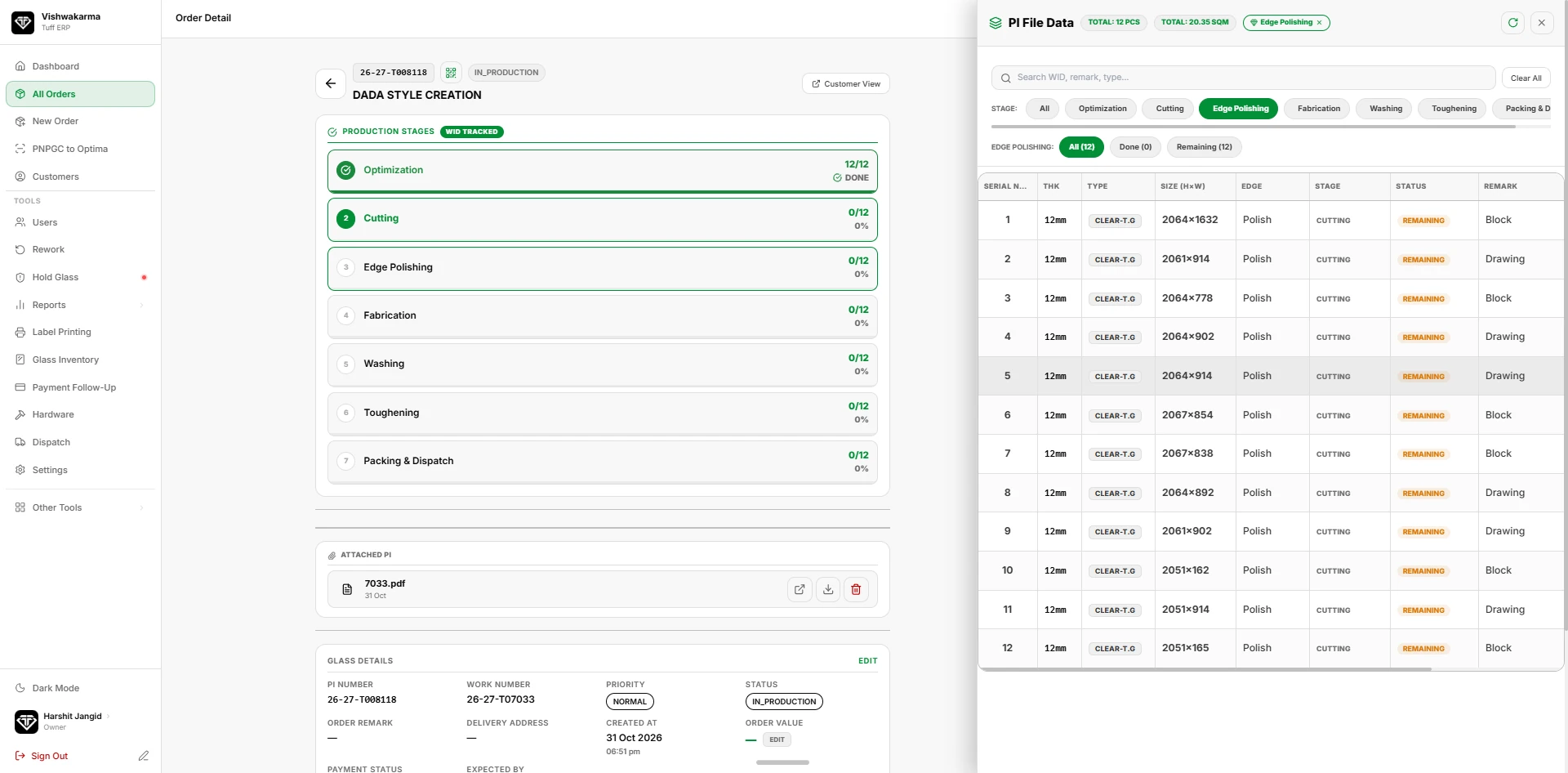
The stage board shows how many pieces and square metres are waiting at each stage right now. Supervisors can see which orders are due, which are late and where work is piling up, then plan furnace loads and shifts around it.
Priorities set in the office reach the floor instantly. Urgent orders rise to the top of every stage queue, and stale orders that have not moved for days are flagged automatically.
- Live SQM and piece count per stage
- Priority and due-date ordering
- Stale and late order alerts
- Worker-wise output reports
Seven stages on every order
Every order shows its production stages as a list: optimization, cutting, edge polishing, fabrication, washing, toughening, and packing and dispatch. Each stage shows how many pieces are done, for example 12 of 12 for optimization and 0 of 12 for cutting, with a percentage. A tracked order carries the label "WID tracked", meaning each piece is followed by its own work ID.
The piece list for each stage
Open the file data of an order and filter by stage. For each piece you see the serial number, thickness, glass type, size (height by width), edge work, current stage, status and a remark such as Block or Drawing. The panel also shows the total pieces and the total square metres for the order, so the supervisor knows the real load before the furnace is filled.
Priority, due dates and what is stuck
The orders list shows the order number, status, priority (Normal, Urgent, Super Urgent, Hold), due date and created date, with a progress bar and the glass details as tags. The dashboard counts delayed orders and glass stuck in process for more than 48 hours, so the office sees what needs attention first.
Questions about production planning
Not here? Ask us on WhatsApp or book a demo and bring your own order.
Can I see how many pieces are waiting at each stage?
Yes. Each stage on an order shows pieces done against the total, and the file data panel can be filtered to one stage to list the pieces still remaining.
How do I find orders that are late?
The dashboard shows a delayed count and a stuck-over-48-hours count. The orders list can be filtered by Super Urgent, Urgent, Hold and Delayed.
Can I import orders from my cutting optimizer?
The ERP has a "PNPGC to Optima" screen for moving order data to the optimization software. Ask us to show it with your own file.